Images
Social Media Size & Image Resizer
Resize an image to social presets or exact dimensions, adjust the crop and export a ready-to-use file.
Open tool →
Split a wide image into equal-width numbered slides and download each slide in order.
No account needed · Process locally · Download your resultFree browser tool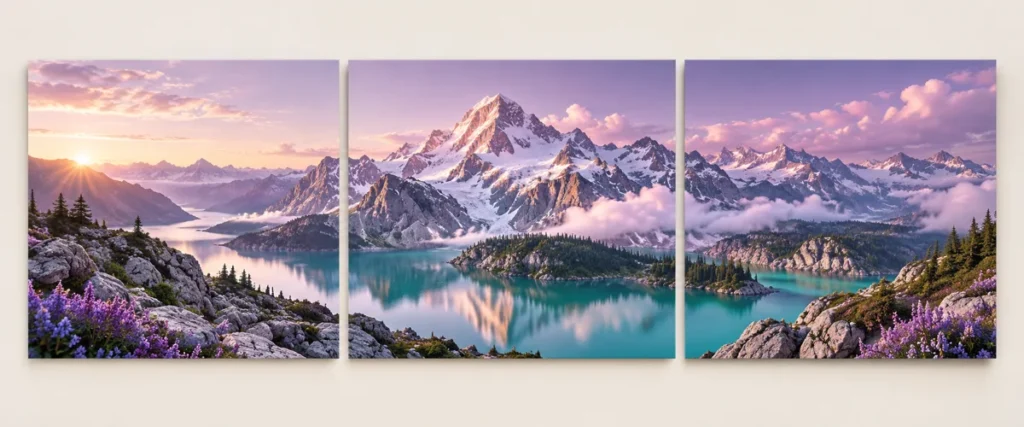
A continuous panorama can help a multi-slide story feel connected. Start with one wide composition, then divide it into equal panels so each downloaded image lines up with the next.
For three square panels, prepare a 3240 × 1080 source. For three portrait panels at 4:5, prepare 3240 × 1350. Keep important text away from the panel boundaries.
The splitter preserves the full image without adding padding. If the width is not divisible by the number of slides, it trims at most one fewer pixel than the slide count from the right edge. It does not post to social media.
Keep an untouched original and inspect the result at the size your audience will see. If your next step is a new layout, explore free Canva templates. For additional context, read the related design guide or collection.
No. Each panel width is the source width divided by the slide count. Use the resizer first if you need a particular panel ratio.
The tool processes supported inputs in your browser. This plugin does not upload your working images or text. Other scripts installed by a site owner follow their own privacy policies.
Browse all free design tools or choose a related utility below. For ready-made layouts, explore Instagram, Pinterest and Facebook templates.
Resize an image to social presets or exact dimensions, adjust the crop and export a ready-to-use file.
Open tool →Reduce image file size with adjustable JPEG or WebP quality and an optional width limit.
Open tool →Convert image formats, preserve transparency where supported and choose a background for JPEG.
Open tool →
Independent tools for your design workflow. Not affiliated with or endorsed by Canva.